C+D Nosh Biscuits
Lead Product Designer & Front-End Prototyper
The Problem
Traditional CPG (Consumer Packaged Goods) websites often feel disconnected from the physical product experience. The challenge was translating the tactile energy and strict
compliance standards of physical, multi lingual packaging into a highly engaging, high converting digital eCommerce storefront.
The Solution
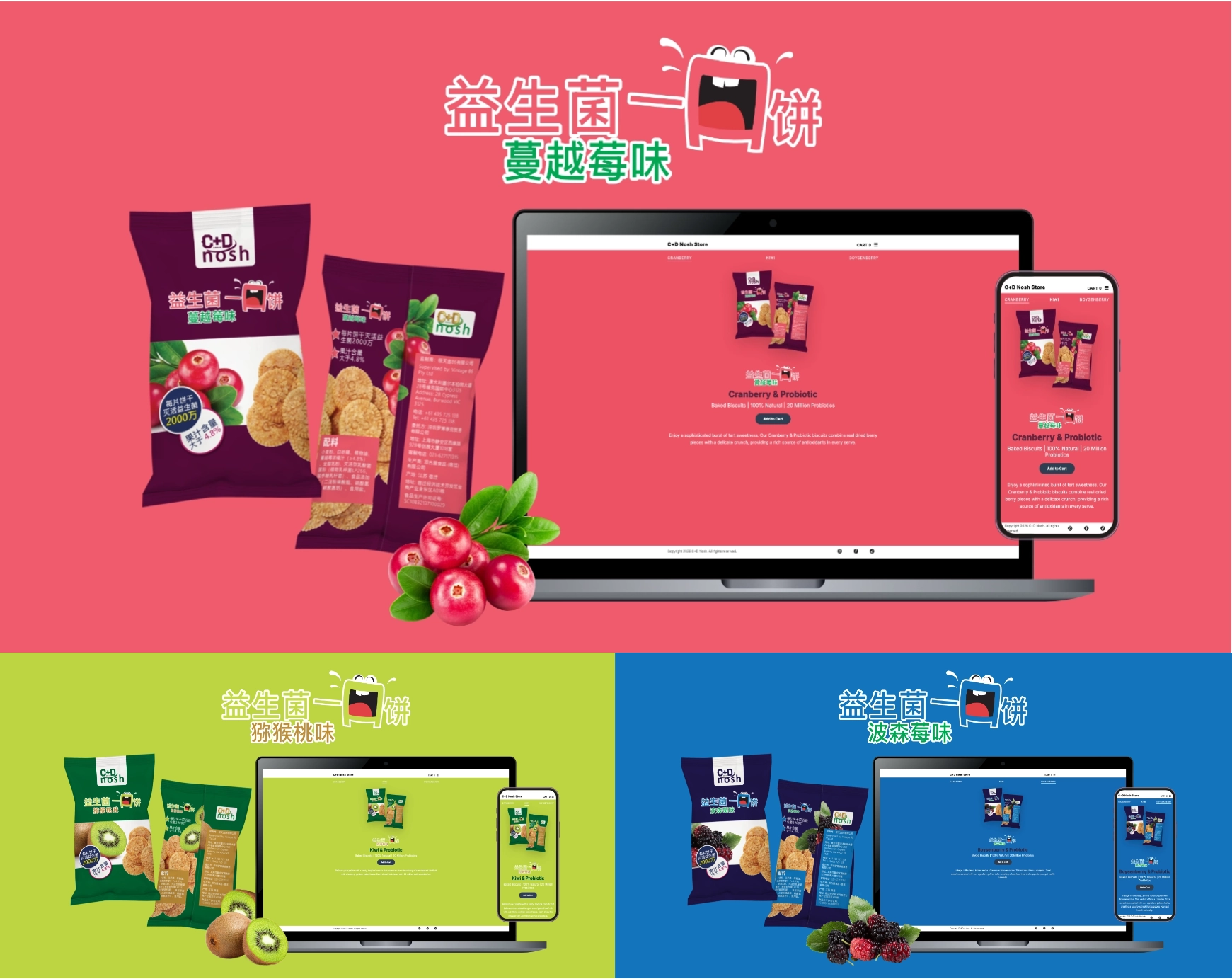
Bridging physical packaging with programmatic web architecture. C+D Nosh utilizes a custom JavaScript theme engine that dynamically mutates color tokens, typography,
and vector assets in real time based on user interactions, proving how print precision can elevate digital product storytelling and drive engagement.
Digital Systems Grounded in Physical Constraints
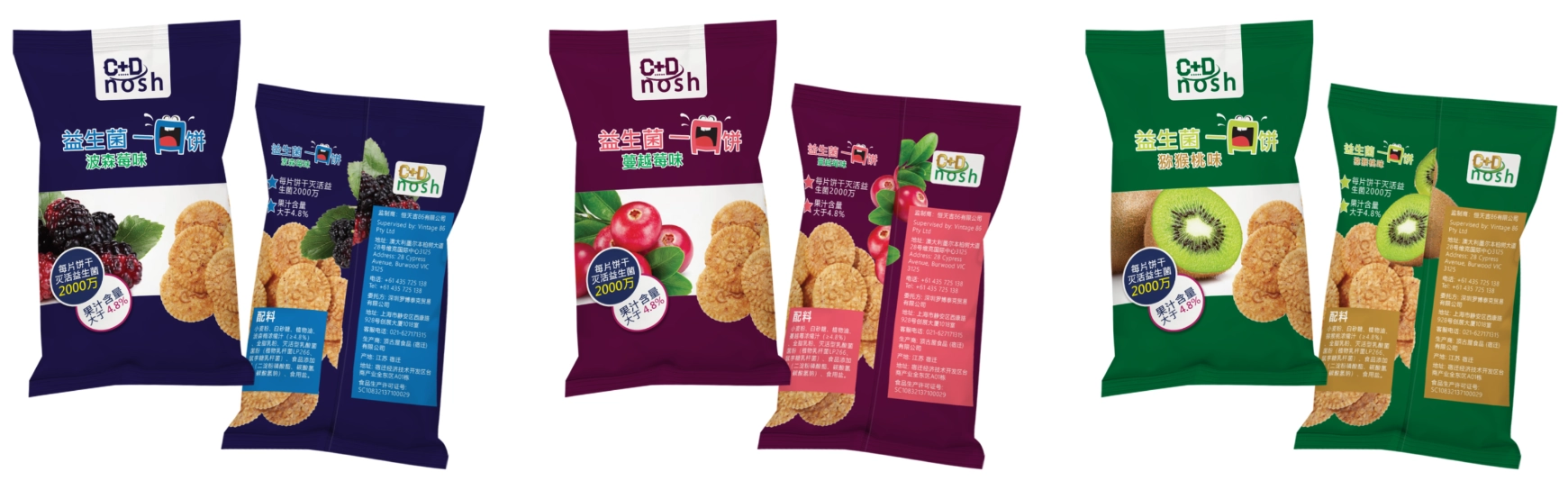
Designing physical packaging requires absolute manufacturing precision. To break away from cold, medicinal supplement branding in the digital space, I developed an energetic aesthetic that still adhered to strict Chinese typography rules and print stroke limits across three flavor variants: Kiwi, Cranberry, and Boysenberry. This ensured the physical product and digital experience felt like one cohesive ecosystem.
Semantic UI & Scalable Identity
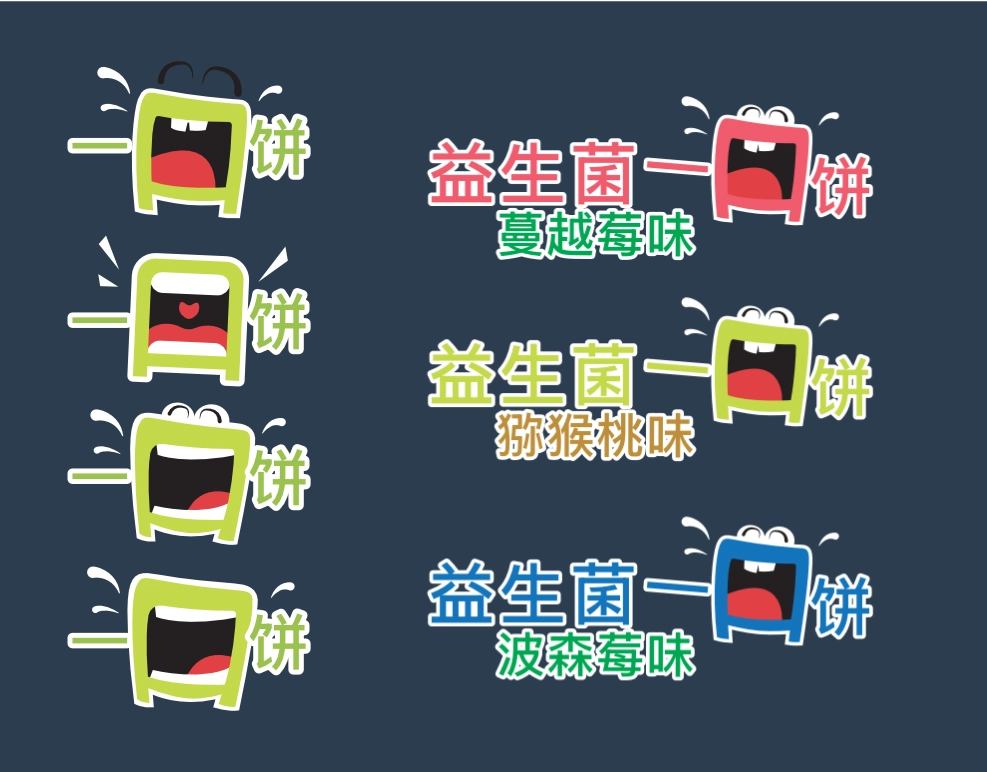
I engineered a scalable visual system anchored by an expressive "mouth" mascot. To establish instant product recognition on both the retail shelf and the mobile screen, I mapped a deliberate semantic color system across the UI components: crimson for Cranberry, lime green for Kiwi, and deep cobalt for Boysenberry.
Stroke weights and contrast values were meticulously calibrated to pass digital accessibility standards while preserving mascot presence when nested beside dense compliance blocks.
Frictionless Interaction Architecture
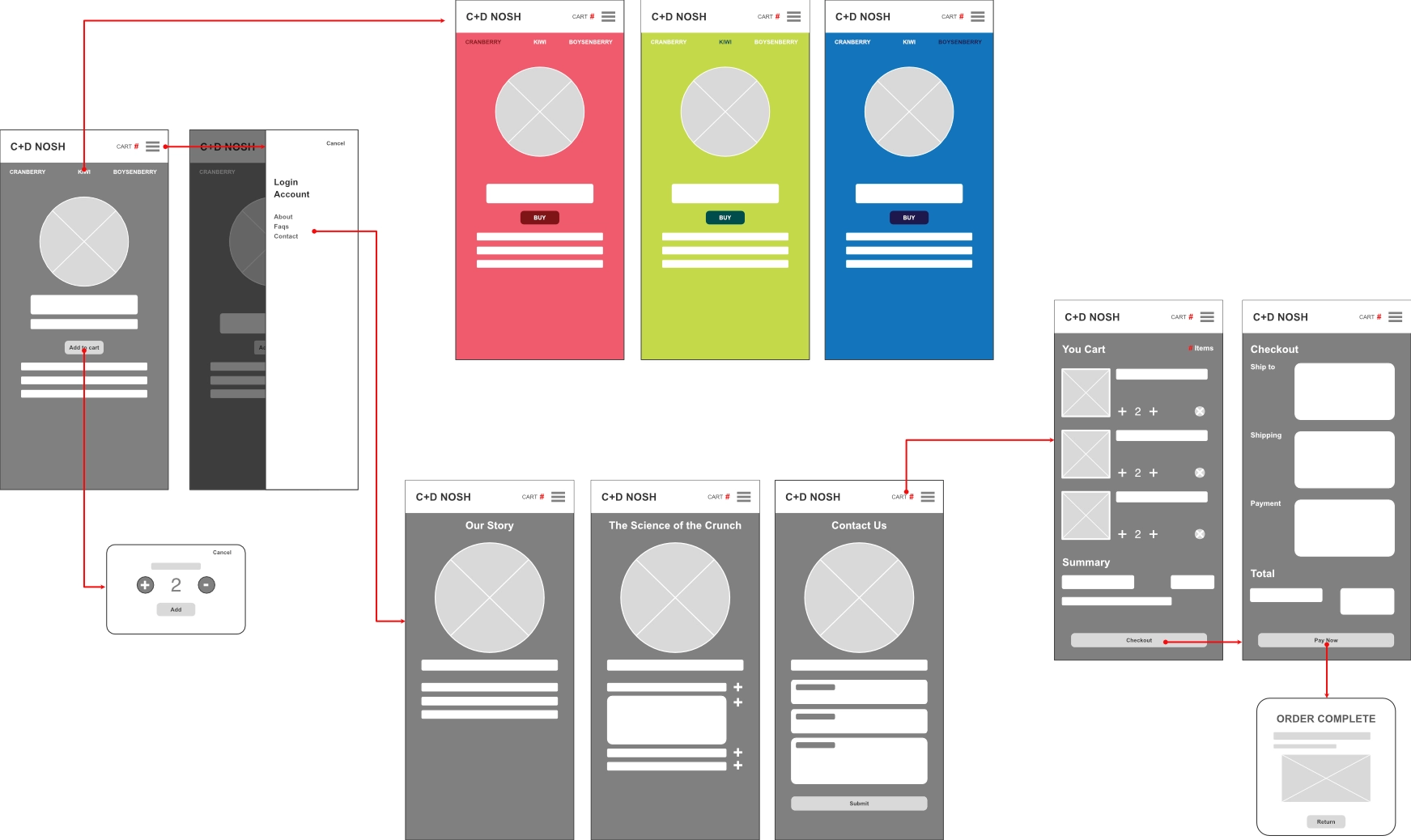
Before touching the codebase, I mapped an interaction blueprint to eliminate dropdown menu fatigue. Designing a flat horizontal tap system leverages instinctive mobile card patterns, turning flavor selection into instant interaction triggers that provide immediate visual feedback to the user.
Omni-Channel Checkout & Fulfillment UX
[Action Item for Alfredo: Add a brief overview of the cart and checkout experience. Specifically, detail how the UI accommodates modern consumer logistics—such as selecting local post office pickup lockers or coordinating click-and-collect at service counters. Connecting the digital cart to flexible, real-world fulfillment is a massive bonus for product design roles.]
Performance as Accessibility
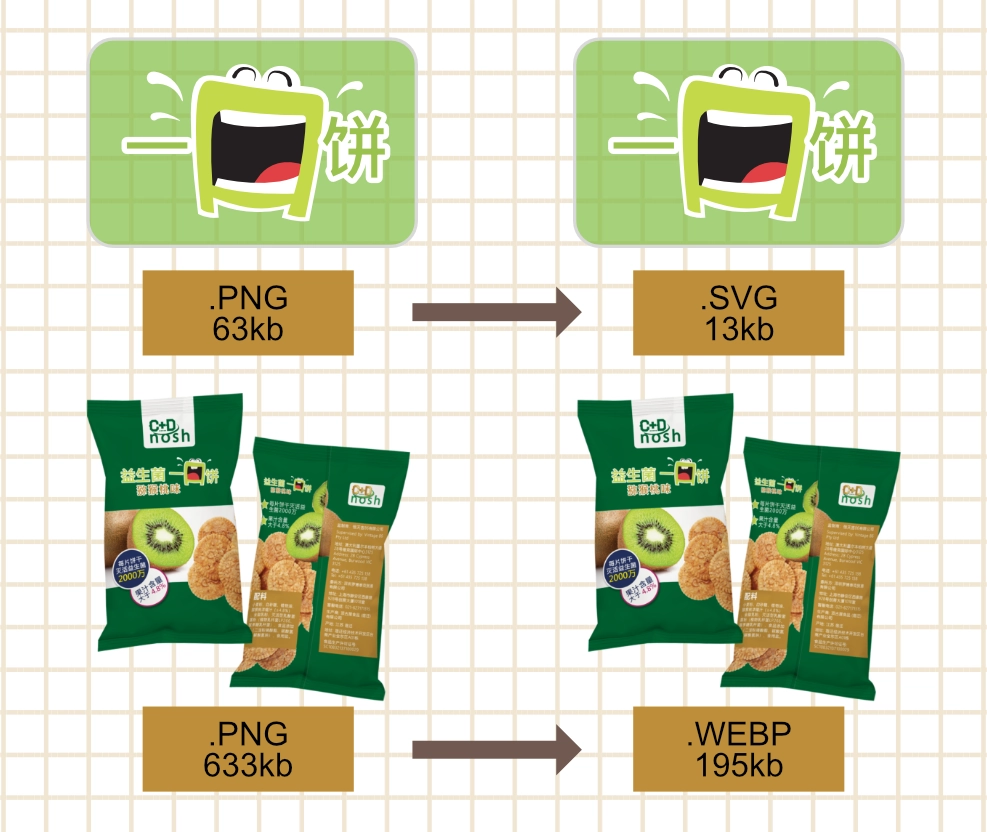
Heavy image files destroy eCommerce conversion rates. Leaning on my production background, I engineered an aggressive export pipeline to guarantee lightning fast web performance.
Vector art was deployed as lightweight 13kb SVGs, while high-\ res 633kb PNG renders were re-encoded into 195kb .webp files. This cut asset overhead by over 60%,
ensuring a frictionless experience for mobile users on cellular networks without sacrificing visual fidelity.
Dynamic Theme Architecture
To execute the complex theme switching engine rapidly, I directed Google Gemini AI Canvas to scaffold the dynamic JavaScript DOM manipulation templates. I then refactored the codebase into a centralized dictionary model. This enables the UI to mutate background hex codes, CSS class modifiers, and SVG paths instantly upon user interaction, providing a delightful and cohesive shopping experience.
// 1. Data System: Centralized copy assets per flavour variant
const flavourStories = {
    cranberry: "Enjoy a sophisticated burst of tart sweetness...",
    kiwi: "Refresh your palate with a zesty, tropical crunch...",
    boysenberry: "Indulge in the deep, jammy notes of premium Boysenberries..."
};

// 2. Theme Engine: Mutating DOM class states to swap CSS design tokens
function changeFlavour(flavourName, event) {
    const body = document.body;
    const title = document.getElementById('flavour-title');
    const productImg = document.getElementById('biscuit-pack');
    const heroLogo = document.querySelector('.flavour-logo');
    const detailText = document.getElementById('detail-text');

    // Dissolve previous active themes and apply new CSS tokens
    body.classList.remove('theme-kiwi', 'theme-cranberry', 'theme-boysenberry');
    body.classList.add(`theme-${flavourName}`);

    // Asset Pipeline: Dynamically mapping optimized WebP and SVG assets
    productImg.src = `assets/pack-${flavourName}.webp`;
    heroLogo.src = `assets/logo-${flavourName}.svg`;
    title.innerText = flavourName.charAt(0).toUpperCase() + flavourName.slice(1) + " & Probiotic";
    detailText.innerText = flavourStories[flavourName];

    // State Management: Toggling active navigation triggers
    document.querySelectorAll('.flavour-btn').forEach(btn => btn.classList.remove('active'));
    if (event) event.currentTarget.classList.add('active');
}
Eliminating Cognitive Jumps
To eliminate harsh browser jumps and preserve brand immersion across page loads, I engineered a custom asynchronous transition manager.
By intercepting browser routing, the script triggers a hardware accelerated CSS fade animation. This 400ms timing window allows the DOM to complete its exit transition smoothly, ensuring the user feels like they are interacting with a fluid native application rather than waiting on a static web page reload.
// Intercept Routing: Hijacking standard anchor links
document.querySelectorAll('.transition-link').forEach(link => {
    link.addEventListener('click', function(e) {
        e.preventDefault();
        const destination = this.href;

        // Reset UI States & trigger outbound CSS transition
        toggleMenu();
        document.body.classList.add('page-fade-out');

        // Timed Redirection: Delay routing until animation completes
        setTimeout(() => {
            window.location.href = destination;
        }, 400);
    });
});